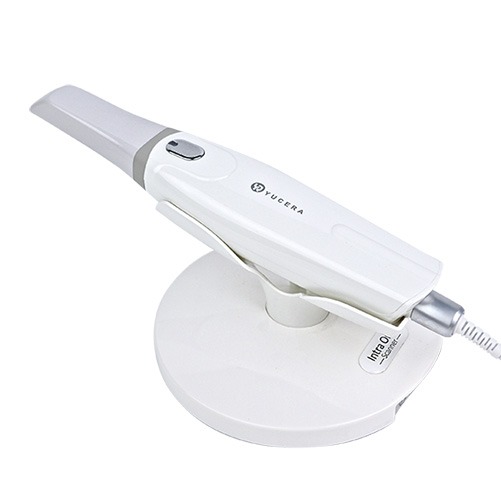
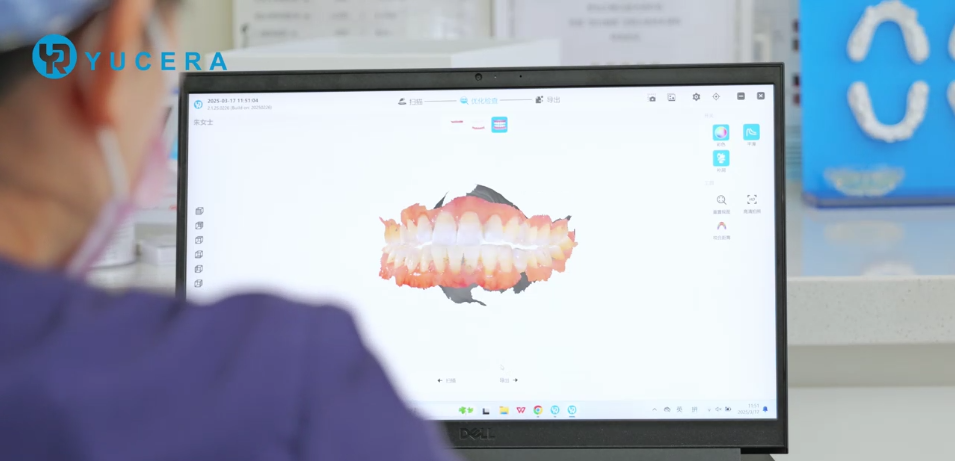
YRC-S03 Intraoral Dental Scanner

Comprehensive digital dentistry solutions, Intraoral scanner for digital dentistry, experience enhanced efficiency and precision.
Crown≤15μm Full bridge≤30μm

Accuracy

Crown≤15μm Full bridge≤30μm

Accuracy

Crown≤15μm Full bridge≤30μm

Accuracy

Crown≤15μm Full bridge≤30μm

Accuracy

Features

Technical Data

Get Advice Now

Features

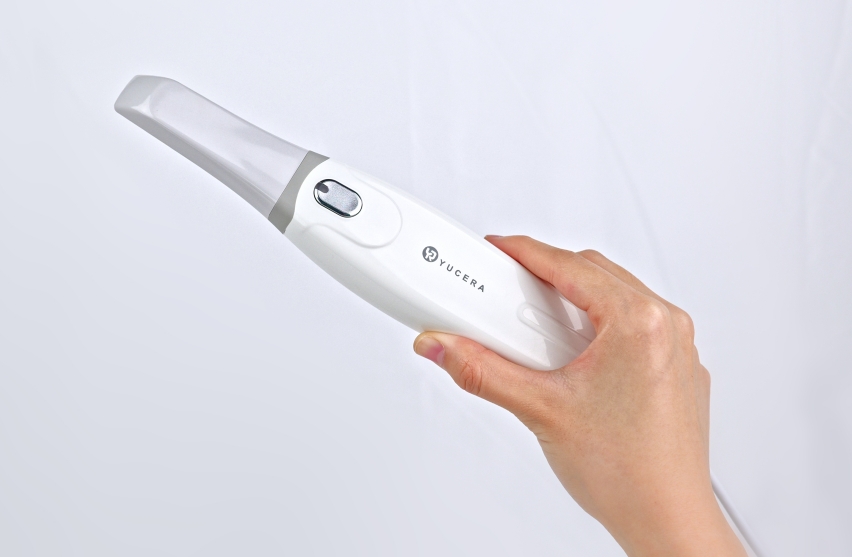
204g ultra-light handle

integrated body, ergonomic design, more comfortable to hold with one hand, standard size scanning head, adapt to the clinical needs of patients with different mouth openings

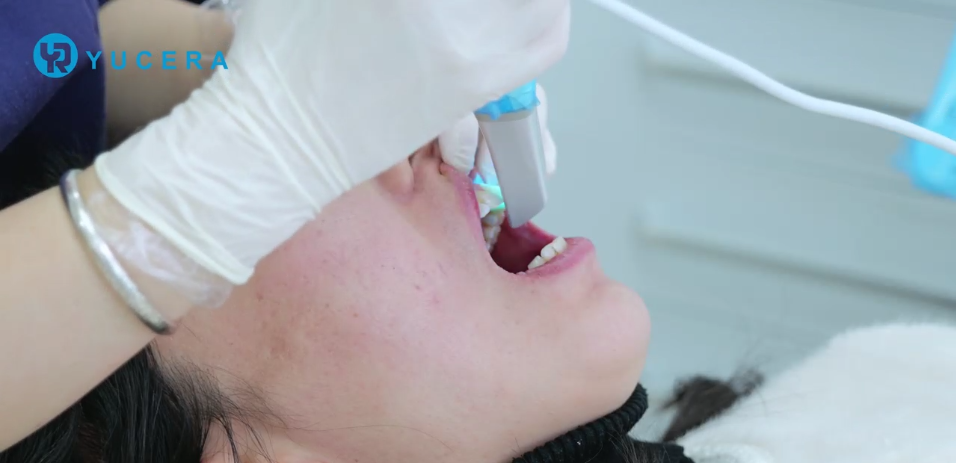
90s full mouth scan

Quick impression taking, linear scanning speed up to 80mm/s

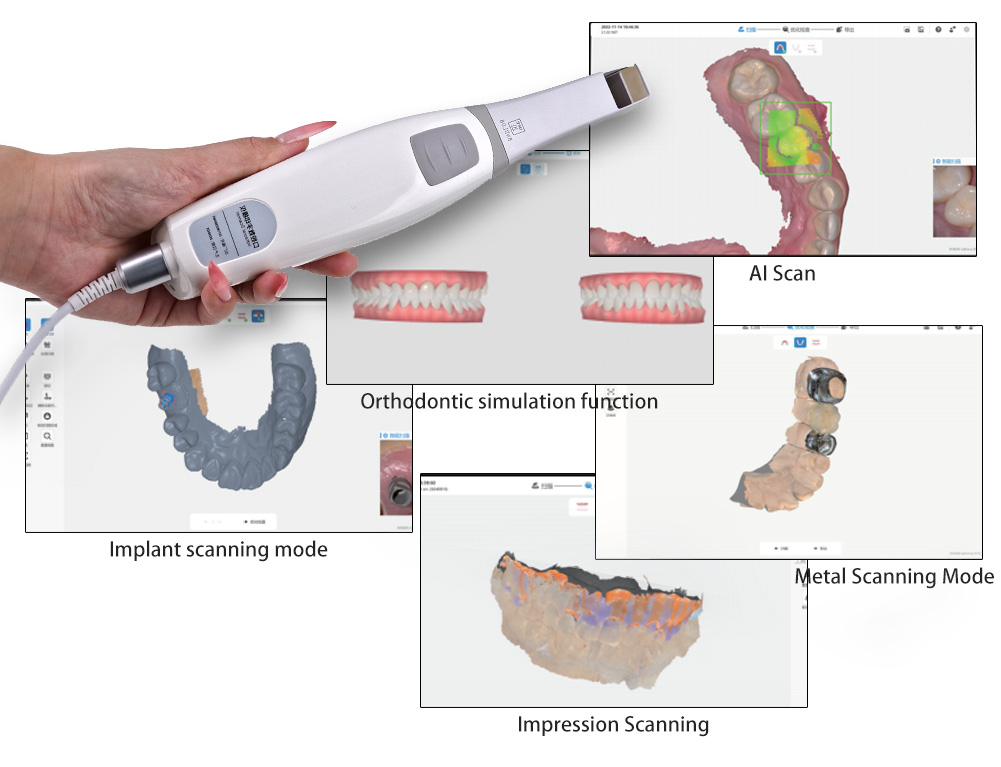
AI intelligent core

multiple intelligent auxiliary modes, clean and clear data without interference, fully applicable to various clinical scenarios

Cloud platform

efficient collaboration between doctors, patients and technicians,Whether it is chairside mode or clinic + technician mode, cloud platform visualizes flow scenes, making everything easy

You choose: material, indication

Material

Maximum freedom of indication

Technical Data

GENERAL

1. Scanner Technical Specification

Scope of reconstruction: 14 x 14 x 15 mm

Camera resolution: 1.3MP CMOS

Pixel size: 4.8 μ m

Oral scanning light source: LED (without laser radiation)

Export development data format: OBJ/STL/PLY

Light radiant intensity: ≤ 100Mw/cm

Standard Scanning Head Size :78.9*19.8*15.8mm

Mini Scanning Head Size:79.2*16.2*12.8mm

Scanner weight: 210g

Data cable of Scanner :2.0m

Connection method: Type-C, USB 3.0

2. Equipment Operating Environment:

a} Environment temperature:10°C-40°C

b} Relative humidity:≤ 85%;

c} Atmospheric pressure:86KPa~106KPa;

3. Equipment Storage, Transportation Environment:

a} Environment temperature:-20°C to 55°C

b)Relative humidity:<85%

c}Atmospheric pressure:70KPa~106KPa;

4. Power Input voltage: 5V

Operating current: 750mA

Name :Oral Digital Impression Scanner

Scope of Reconstruction :14x 14 x15 mm

Pixel :1024 X 768 pixels

PROCESSING MODES

Components

Consists of a scanner handpiece, scanner tip, and base, along with three-dimensional acquisition software,

Intended Use

The 3D geometric data of the tooth in the patient’s mouth is collected using an optical scanning method to provide a 3D digital model for CAD/CAM denture design and processing.

Intended User

An educated and competent healthcare professional should operate the scanner to perform dental intraoral image acquisition.

The Runyes intraoral scanner features the following characteristics:Excellent image quality based on advanced CMOS technology, More convenient three-dimensional acquisition process Smaller, more comfortable, and durable scanner tip, detachable and suitable for high-temperature and immersion disinfection. Easy-to-use Type-C/USB 3.0 interface

Power:DC 5V  Product Life:12 years   Contraindication :No

Classification

lEC 60601-1 Medical electrical equipment- Part 1: General requirements for basic

safety  and essential performance lEC 60601-1-2 Medical Electrical Equipment PART 1-2: General Requirements for Basic Safety and Essential Performance Collateral Standard: Electromagnetic

Disturbances Requirements and Tests EN 150 780 Packaging-Distribution packaging* graphical symbols for handling andstorage of packages

Safety classification: type B medical device equipment.

Applied parts:scanner head.

Not belong to the category AP or APG device.

0peration mode:continuous.

Degree of protection against harmful ingress of water: lPXO

*Device cannot power on despite power supply being connected:

1.Ensure that the computer is powered on.

2.Check if the devices are correctly connected as reguired.

3.Verify if the computer configuration meets the software’s operational requirements.

*Device power indicator is on, but the computer cannot recognize the device (mainindicator light flashing blue):

1.Check if the connections between the devices are secure.

2.Ensure that the Type-C and USB interfaces meet the requirements (refer to hardwareinstallation instructions).

3.Avoid using UsB to Type-C adapters other than those provided.

*The computer has recognized the device, but the application software displays noimage:

1.The device has a sleep function. Check if the device is in sleep mode and wake it up byshaking.

2.Restart the application software and reconnect it to the device.

3.Reinsert the connections between the devices.

*Device experiences interruptions during use and cannot resume operation:

1.The device has a thermal protection function. After the protection function activates,please turn off the device, Wait 5 to 10 minutes depending on the environmentaltemperature before restarting.

2.Check if the Type-C and USB interfaces meet the requirements (refer to hardwareinstallation instructions).

*Lens fogs up during use:

1.Defog the lens before use or heat the lens by placing it on a platform and thencontinue using it.

2.This electronic device has an lPX0 waterproof rating. Do not directly spray or immerse in any liquids.

*Device experiences image stuttering, slowing down, or disconnection during use:

1.Check if the connections between the devices are secure.

2.Determine if the device has been used for an extended period resulting in high internaltemperatures.

3.These issues persist frequently, it may be due to internal data cable damage. Pleasecontact customer service for assistance.

*Device produces significant image noise or color distortion during use:

1.Handle the device with car as it is a precision instrument, Heavy impacts may causeunpredictable internal hardware issues.

2.Internal software calibration issues with this device.If the above issues persist despite following the instructions, please contact customerservice for further assistance.


DIMENSIONS & WEIGHTS

Scanner Handpiece : 1

Scanner Tip : 3

Scanner Tip (Mini) : 1

Base : 1

Data Cable (Type-C port) : 1

Protective Tip : 1

U Disk with Software : 1

USB to Type-C adapter : 1

Operational Manual : 1

Certificate of Conformity, Warranty Card : 1

Packaging Box : 1

Calibration Tip (Optional) : 1

SHADE / THICKNESS SELECTION

YRC-S03 Intraoral Dental Scanner Product Manual

You can download our latest product manual here to learn more about our products.

How it works

Do you have a question?
Or would you like to receive more information?

+86 18929399126

kaka.cao@yucera.com

    People who viewed this page also viewed

    Whether lab or practice processing - we have the perfect solution for you.
    .

    Dental Milling Machine

    Dental Lab Scanner

    Sintering Furnace

    We offer you a wide range of restorative dental consumables and accessories - perfectly matched to your dental workflow.

    Stain Glaze

    Dyeing Solutions

    Dental Milling Burs

    Scroll to Top